IPTV Box Monthly Fee: What You Actually Pay Each Month
An IPTV box monthly fee is one of the most confusing costs in streaming. The box is a piece of hardware that you buy once. However, the channels come from a separate service, and that service is what you pay for over time. This guide explains how the two costs fit together, so you can budget clearly before you buy anything.
Many shoppers expect a single bill, like cable. In practice, the picture looks different. You pay for a device up front, then you choose a subscription that runs for a set period. Once you see that split, it becomes much easier to spot a fair deal and avoid offers that sound too good.
Why an IPTV box monthly fee is really two costs
IPTV stands for Internet Protocol television. Put simply, live channels reach your screen over broadband instead of a cable line or satellite dish. You can read a short technical overview on Wikipedia’s Internet Protocol television page. For your budget, the key point is that the device and the content are separate products.
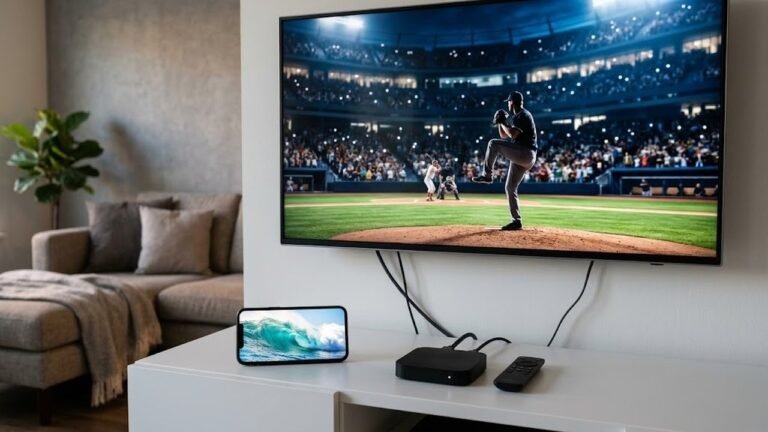
The box is a small computer. It runs a player app, decodes video and sends it to your TV over HDMI. On its own, though, it has no channels at all. Instead, it needs login details from a provider, such as an M3U link or Xtream codes.
The one-time cost: hardware
Hardware is paid once. A streaming stick or an Android TV box is a one-off purchase that can last for years. Because it is a general-purpose device, you can also install other apps on it. That said, the cheapest boxes often have slow processors and little storage, which makes menus sluggish.
The recurring cost: the monthly IPTV fee
The service is the part that renews. It covers live channels, the program guide, catch-up and the on-demand library. Some providers bill it every month, while others sell fixed blocks of time. In both cases, this is what people usually mean when they ask about an IPTV box monthly fee.
A typical monthly IPTV box cost, line by line
Before you compare offers, it helps to list every cost in one place. Most setups break down into four items.
- Device: a stick, box or Smart TV app, bought once or already owned.
- Service: the subscription that delivers channels and the guide.
- Extra connections: a higher price if several screens watch at the same time.
- Internet: the broadband you already pay for, which carries the streams.
Notice what is missing from that list. There is no equipment rental, no installation visit and no early termination charge. As a result, the real monthly figure is usually just the service price divided by the months it covers.
How SetIPTV plans work out per month
SetIPTV sells one-time plans rather than a rolling subscription. You pay once, the plan runs for its full period, and nothing renews automatically. Here is how each option breaks down when you spread the price across its months.
- 1 month: $12.99, so $12.99 per month.
- 3 months: $24.99, which works out to about $8.33 per month.
- 6 months: $44.99, or roughly $7.50 per month.
- 12 months: $74.99, which comes to about $6.25 per month.
In other words, the 12-month plan cuts the effective monthly cost roughly in half compared with paying month by month. Every plan includes the same channels, the same 7-day program guide and the same catch-up features. So the honest answer to the IPTV box monthly fee question is simple: the box adds nothing each month, and the service costs between $6.25 and $12.99. You can see current options on the IPTV monthly subscription page.
Also, there is nothing to cancel later. Because plans do not auto-renew, you simply decide whether to buy another period when yours ends. Should a real service fault outlast our fixes, the refund policy covers requests within 24 hours of payment.
Extra screens are chosen at checkout. You can pick 2 or 3 devices, and on the 12-month plan the total drops as you add them. For a family that watches in several rooms, that multi-device price often matters more than the base price.
Watch out for boxes sold with lifetime service
Some sellers bundle a box with ‘lifetime’ or ‘no monthly fee’ TV. It sounds like a bargain, but the math rarely works for the seller. Streams cost money to deliver every month, so somebody has to keep paying for servers and bandwidth.
In many cases, the service attached to these boxes stops working after a few months. Then the buyer is left with hardware that needs a new subscription anyway. Other bundles lock the device to one app, which means you cannot switch providers if quality drops.
Before buying any bundle, ask three questions. Who runs the service, and how do you reach support? What happens if the streams stop? Can you enter your own M3U or Xtream codes login later? If the seller cannot answer clearly, it is safer to buy the hardware and the service separately.
Skip the monthly box fee: use hardware you already own
You may not need a new box at all. Many homes already have a device that can run an IPTV player app. Common examples include:
- Samsung and LG Smart TVs with a player installed from the app store.
- A Fire TV Stick, which can run the free 8K Player app.
- Android TV boxes and TVs with Android TV built in.
- An iPhone, iPad or Apple TV, plus a Mac or Windows PC.
- MAG set-top boxes that load a portal address.
Using what you own keeps the upfront cost at zero. It also lets you test the service before spending money on new equipment. Our IPTV setup guide shows the steps for each device, while the posts on IPTV on Firestick in the USA and choosing an IPTV Smart TV app go into more detail.
If you do decide to buy, pick a device with enough memory and a recent operating system. A mid-range streaming stick is usually enough for HD and 4K channels. Meanwhile, a wired Ethernet connection or strong 5 GHz Wi-Fi does more for picture stability than an expensive box.
Try before you commit
The simplest way to test the full cost picture is the free trial. First, request it on WhatsApp. Next, load the login on a device you already own and watch a few channels at your usual hours. After that, you will know whether you need new hardware and which plan length suits you. Our IPTV USA free trial guide explains what to check during the test.
Get your IPTV subscription from SetIPTV and keep the IPTV box monthly fee simple: one device you own, one plan you pay once. Start on the SetIPTV homepage, compare prices on the pricing page, or send a question through our contact page. Activation usually takes only a few minutes after payment.
Frequently asked questions
Do I pay a monthly fee for the IPTV box itself?
No. The box or stick is a one-time purchase. The recurring cost is the IPTV service that delivers the channels, program guide and on-demand library.
How much does SetIPTV cost per month?
It depends on the plan length. The 1-month plan is $12.99, while the 3-, 6- and 12-month plans work out to about $8.33, $7.50 and $6.25 per month.
Are boxes sold with lifetime service worth it?
They are risky. Streams cost money to deliver every month, so bundled lifetime service often stops working, and many of those boxes cannot accept a new provider login.
Can I use a device I already own instead of buying a box?
Yes. Samsung and LG Smart TVs, Fire TV Sticks, Android TV boxes, Apple devices, PCs and MAG boxes all work with a SetIPTV login.